App preview
Inside TM9 2.0.
A look at the redesigned app — charts, portfolio, quotes, and analysis tools.
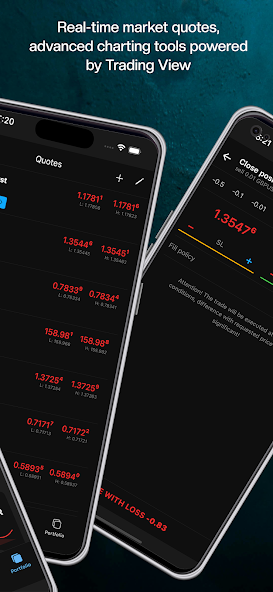
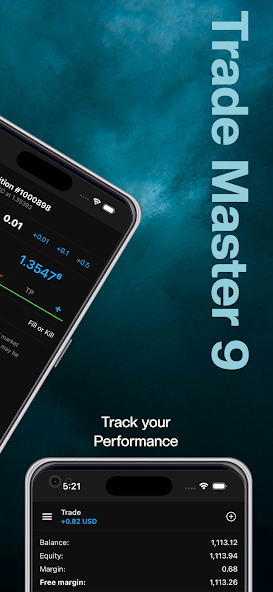
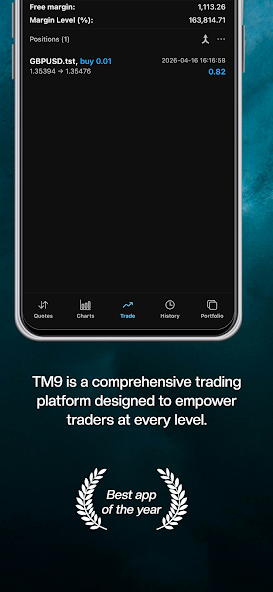
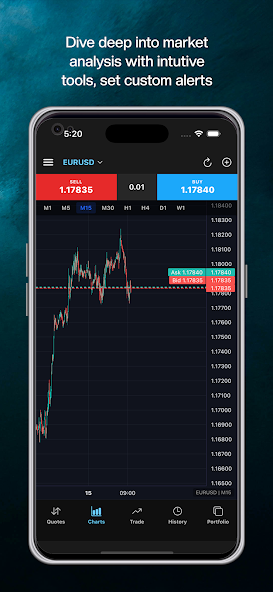
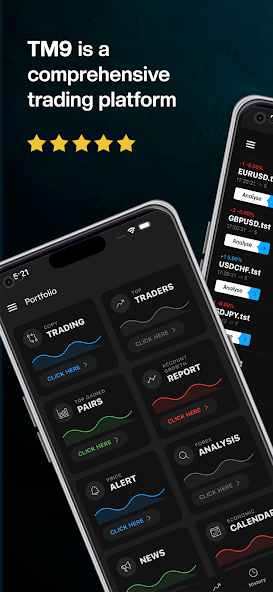
TM9 is a multi-asset trading platform across multiple brokers — trade forex, stocks, and futures, view charts, stream live prices, and place orders straight to your broker. Manage your portfolio from a basic phone, a smartphone, or the web.
A look at the redesigned app — charts, portfolio, quotes, and analysis tools.
2.0 isn't a refresh. It's a ground-up rewrite of how a serious trading app should feel on your phone.
A rewritten matching layer cuts order roundtrip from ~120 ms to under 40 ms on average — so your stops fire when you need them.
Our own charting engine — 100+ indicators, multi-chart layouts, and one-tap orders directly from the chart canvas. Built from the ground up by the TM9 team.
Follow top performers, set risk caps, and mirror their positions automatically. Pause, scale, or exit any signal in a tap.
Forex, stocks, futures, indices, commodities, and CFDs — backed by institutional-grade tooling and a UI that respects your time.
Live quotes across forex, stocks, futures, indices, and commodities — streamed through a low-latency pipe with sub-second tick updates.
Our in-house charting canvas with 100+ studies, custom layouts, multi-timeframe sync, and tap-to-trade from the chart.
Mirror top-ranked traders with risk-capped allocations. See their open trades, history, and live P&L before you commit.
Biometric login, hardware-backed key storage, and encrypted connections on every order. Your funds always stay with your broker.
Price, volatility, news and signal alerts — pushed instantly to your phone, watch, or email. Snooze with one tap.
Phone, tablet, web, desktop. Watchlists, layouts, and open orders move with you — seamlessly, in real time.
From download to your first position. No paperwork queues, no email ping-pong.
Grab TM9 from the App Store, Play Store, or web — and install it on your phone or desktop in seconds.
Pick a regulated, reputable broker from the supported list. Verify their licence and reputation before you proceed.
Deposit directly on your broker's website. Funds stay with the broker — TM9 never holds or touches your money.
Link your broker account inside TM9, set your risk, and place your first trade — forex, stocks, or futures.
The TM9 app is free for traders. Brokers choose the platform licence that matches their scale. Final pricing is tailored to your setup — confirmed on a quick call with our team.
Add-on upon order
Add-on upon order
Add-on upon order
Pricing is finalised over a short call so we can match your account volume, gateways, and rollout plan. Chat on WhatsApp →
Every performance figure on this site comes from our own testing. Here is what we measure and how.
Under 40 ms on average, down from around 120 ms in TM9 1.x. Measured as the time between an order leaving the client terminal and the server acknowledgement arriving back.
Measured on market orders in the TM9 test environment. Your own times depend on your network and your broker's server location.
100+ studies and 21 timeframes, built in-house rather than licensed, with orders placed directly from the chart canvas.
Counted from the shipping indicator list in TM9 2.0. Instrument coverage expands each quarter.
1,000 to 100,000 real accounts per licence tier, with one trade server in Standard and Business and four in Express.
Figures are the licensed ceilings for each tier, not projections. Sizing is confirmed per deployment.
Last reviewed and updated: . We review this page every quarter, and sooner when the app changes.