
Forex Trading Platform and App for Brokers and Their Client Accounts.
TM9 is a forex trading platform and app for brokers, and for CFD brokerages too: the software your brokerage runs on.
Apps for your clients on phone, web and desktop, two desk terminals for your staff, and the four servers behind them, licensed for 1,000 to 100,000 real accounts. This page is also available in Arabic: منصة تداول الفوركس للوسطاء.
4.5 out of 5 from 57 ratings by broker clients, with 6 written reviews.
Licence specs and server capacity last reviewed:
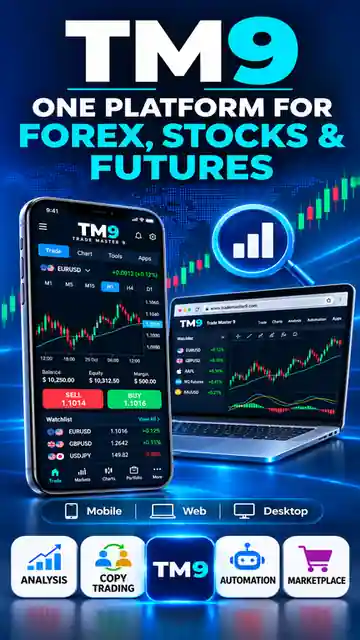
What Does the Broker Platform Include?
One licence covers the whole stack, and every plan has the same software. What changes is how many accounts it holds and how many trade servers carry the orders. You get it all set up for you, so your clients can start to trade on day one and your team can run the desk from the first hour.
The client apps, both desk terminals and all four servers come with every plan, and gateways are added when you order them.

Client terminals
What your traders use: the apps on phone, web and desktop, free to them on every device, with live prices, charts, alerts and copy trades.
- Mobile terminal
- iOS and Android, with charts, quotes and one-tap orders.
- Web terminal
- Trading in the browser, with nothing to install.
- Desktop terminal
- The full workstation, for traders who want the screen space.
How to Launch Your Brokerage on TM9
Launching a brokerage on TM9 is a guided project that runs from choosing a plan to opening for clients. Plans start at $2,000 a month plus a one-time setup fee, and every plan includes the full platform. These four steps outline the route most brokers follow.
- Choose Standard, Business or Express for your account numbers.
- Plan the gateways your own systems need.
- Set up the servers, desk and admin terminals.
- Test on demo accounts, then open to clients.

Your desk
What your team uses to run the firm each day: one terminal for client accounts and one for the setup.
One terminal handles client accounts from day to day, and the other holds the setup, such as groups and markets. Both draw on the same servers as the client apps, so your data stays in one place.
- Manager terminal
- For desk teams: client accounts, trades and risk.
- Administrator terminal
- Set up the platform and keep it running.

Servers
The four servers behind the apps, which come with every plan at no extra cost and are set up and run for you.
Each server has one job. Trade carries live orders, History keeps the record behind statements and audits, Access manages the sessions from every terminal, and Backup is there for recovery from the first day.
- Trade Server
- Carries the live order flow for your brokerage, with one Trade Server in Standard and Business and four in Express.
- History Server
- Keeps trading history.
- Access Server
- Handles terminal connections.
- Backup Server
- Included in all three tiers.

Three Tiers, From $2,000 a Month.

Pick the plan by the number of real accounts you expect to hold. Each plan shows its monthly price in USD: $2,000 for Standard, $3,000 for Business and $4,000 for Express, plus a one-time setup fee. Gateways are added on top if you need them.
 Standard1,000 real accounts1× Trade ServerFrom $2,000 / monthThe entry point for brokers launching on TM9.
- Desktop app for clients
- Web Terminal
- Phone app for clients
- Manager Terminal
- Admin Terminal
- 1× Trade Server
- History Server
- Access Server
- Backup Server
 ★ Recommended for Growing Desks
Business25,000 real accounts1× Trade ServerFrom $3,000 / monthThe most popular tier.
- Desktop app for clients
- Web Terminal
- Phone app for clients
- Manager Terminal
- Admin Terminal
- 1× Trade Server
- History Server
- Access Server
- Backup Server
 Express100,000 real accounts4× Trade ServersFrom $4,000 / monthFor volume, with order flow spread across four servers.
- Desktop app for clients
- Web Terminal
- Phone app for clients
- Manager Terminal
- Admin Terminal
- 4× Trade Servers
- History Server
- Access Server
- Backup Server
Gateways for exchanges, ECNs and price feeds can be added to any plan, with no change to the rest of your setup, and they are added when you order them.
Which plan should you pick? If you are just starting out, Standard gives you room for 1,000 real accounts. Most brokers settle on Business, with room for 25,000.
Express is for large firms with up to 100,000 accounts and four trade servers to carry a heavy flow of orders. You can move up a plan as you grow, and your clients keep the same apps.
Growth is simple to plan for. When your client base outgrows a plan, you move up a tier and keep the same apps, terminals and data, so your traders notice nothing but more room.
Your clients see a polished app under a platform you control. That mix builds trust on their side and gives your team one place to manage accounts, servers and support.
| Plan | Real accounts | Trade servers | Monthly licence |
|---|---|---|---|
| Standard | 1,000 | 1 | From $2,000 |
| Business | 25,000 | 1 | From $3,000 |
| Express | 100,000 | 4 | From $4,000 |
Broker Feedback & Platform Performance
The TM9 broker platform is rated 4.5 / 5 from 57 broker client ratings. Here are the 6 written reviews.
“very nice platform”
Surendra Sahoo •
3 people found this review helpful“good app”
Rukshan Sivakumar •
“nice app good working 👍”
ganesh ghadage •
1 person found this review helpful“super fast nd easy to handle”
2optionking RA •
“good”
Shiekh Irfan •
“good”
Zeeshan Prince •

Tell Us About Your Brokerage.
Tell us how many accounts you expect and when you want to launch, and we will reply with the plan that fits and the next steps.
Broker FAQ: Asked & Answered.
What is TM9?
A platform for many markets that brokers license to give clients phone, web and desktop apps, with desk tools for the firm. Traders use the apps for free; the broker holds client funds, sets spreads and leverage, and fills the orders.

What is included in a licence?
The client apps for desktop, web and phone, the two desk terminals, and the Trade, History, Access and Backup servers. Gateways are added when you order them. Moving up a plan adds room for more accounts and more trade servers; all else stays the same.

How is pricing set?
By plan: Standard is $2,000, Business $3,000 and Express $4,000 a month. A one-time setup fee covers the servers and getting you started, and gateways cost extra if you add them. Each plan sets how many accounts you can hold and how many trade servers you get.

Which markets can my clients trade?
Forex, stocks, futures, indices, gold, oil and CFDs, based on what you offer. Each broker picks its own list of markets, and clients see that list in the app on every device. Gateways link the platform to your price feeds, payments and reports.

Is TM9 a broker? Is it regulated?
No. TM9 is software, so the licence that matters is your own. Your firm holds client funds under its regulator's rules. We never hold, receive or touch client money; deposits, withdrawals, margin and trade disputes stay between you and your clients, under your own regulator.

Do my clients pay for the app?
No. The TM9 apps are free for traders on iOS, Android and the web. Spreads, fees and swaps are set by your brokerage, and we add no download fee, up-front charge or monthly fee for your clients. The same goes for every device.

Is there an API?
Yes. See the API documentation at https://www.trademaster9.com/site/api-docs.html for details. The TM9 2.0 API covers new accounts, staff sign-in, payments, live trades, deposits and trading groups, so your own back-office tools can run accounts and funds on the platform. Every call is fully explained.
Read Before the Call.
 The TM9 mobile trading app
What your clients get: live prices, charts, alerts and copy trading on iOS, Android and the web, all free for them to use.
How licensing worksThree tiers, one platform, and what decides the price.
 Switching software provider
What to ask any platform provider, and how a move to TM9 works.
 How to start a brokerage
Ten steps in the order they depend on each other, and which of them a TM9 licence covers for you.
 For hedge funds
Seats for owners, managers and investors, and the terminals each one uses.
 Gateway integrations
Linking exchanges, ECNs and price feeds to TM9.
 API documentation
Link TM9 to your website and back-office tools.
 Security
How we keep client data and orders safe.
More Pages After For Brokers.
 A Platform for Hedge Funds
Running a fund rather than a brokerage? We license the same platform to funds, with the Manager Terminal included.
 Forex Guides in 7 Categories
Reading for your clients and your staff: 33 forex guides in 7 groups, from the first steps to the full platform.
 Forex Market Guide
Learn how the forex market works: pairs, who trades, and when.

Built for Brokers, Ready for Traders.

Multi-Asset Trading Platform
Forex, stocks, gold, oil and indices, all from one broker platform.

Hedging and Netting Modes
Run client accounts in hedging or netting mode, set by your brokerage.

Built-In Economic Calendar
Coming market news inside the app, next to your charts and orders.

Master AI Trading Signals
AI signals for ideas, which MMM can place for you if you choose.